
Version 2.0.0 · Free, with optional Pro plans
FimbiExpense Tracker, Budget Planner & Money Manager App
Just say it. Fimbi adds it.
Fimbi is a simple expense tracker, money manager and budget planner you can talk to. Say a sentence and it becomes expenses, ask Fimbi where your money went, plan a monthly budget, track bills and loans, and share a family wallet with the people you live with. No bank login, no ads, and your records stay on your phone until you choose to sign in.
- Voice entry
- Ask Fimbi AI
- Family plan
- Backup & sync
- No ads


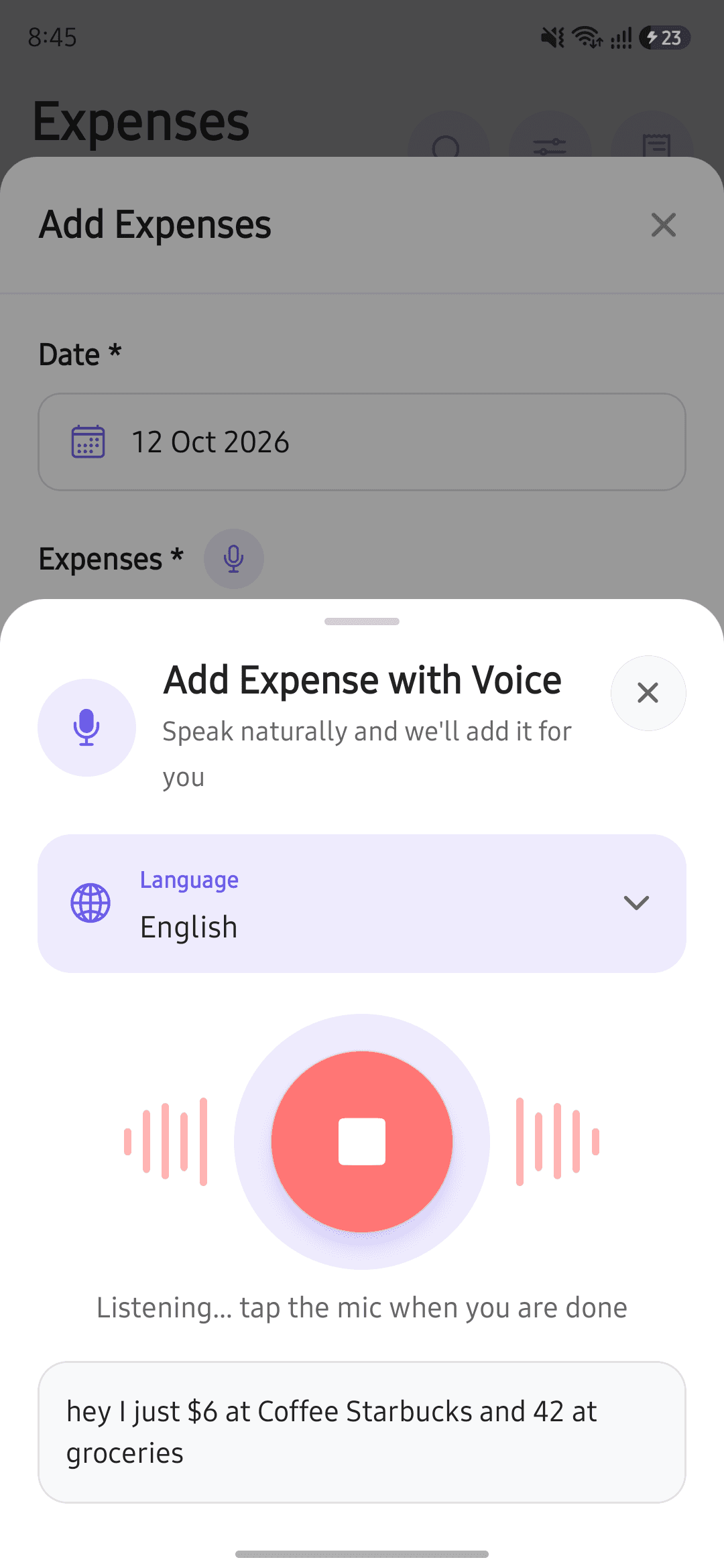
No more typing every expense
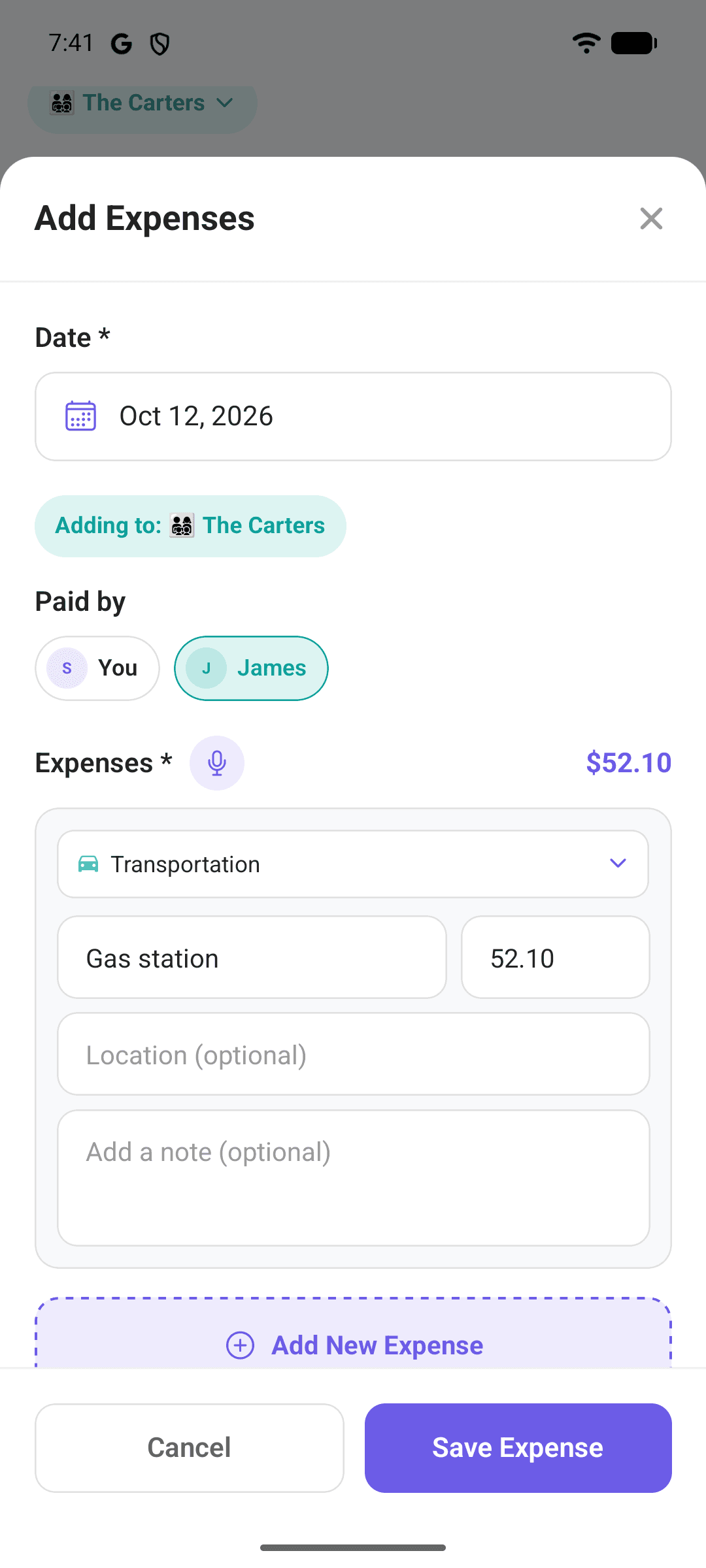
Tap the mic and talk the way you would to a friend. Fimbi picks out the amounts, categories, titles and date, and fills in the form for you.
- Say several at once — “500 for groceries and 200 for fuel yesterday” becomes two expenses.
- Speak in English, Urdu, Hindi or Arabic.
- Every row lands in the form for you to check. Nothing is saved until you tap Save.
- Your phone turns speech into text, so your audio never leaves it.
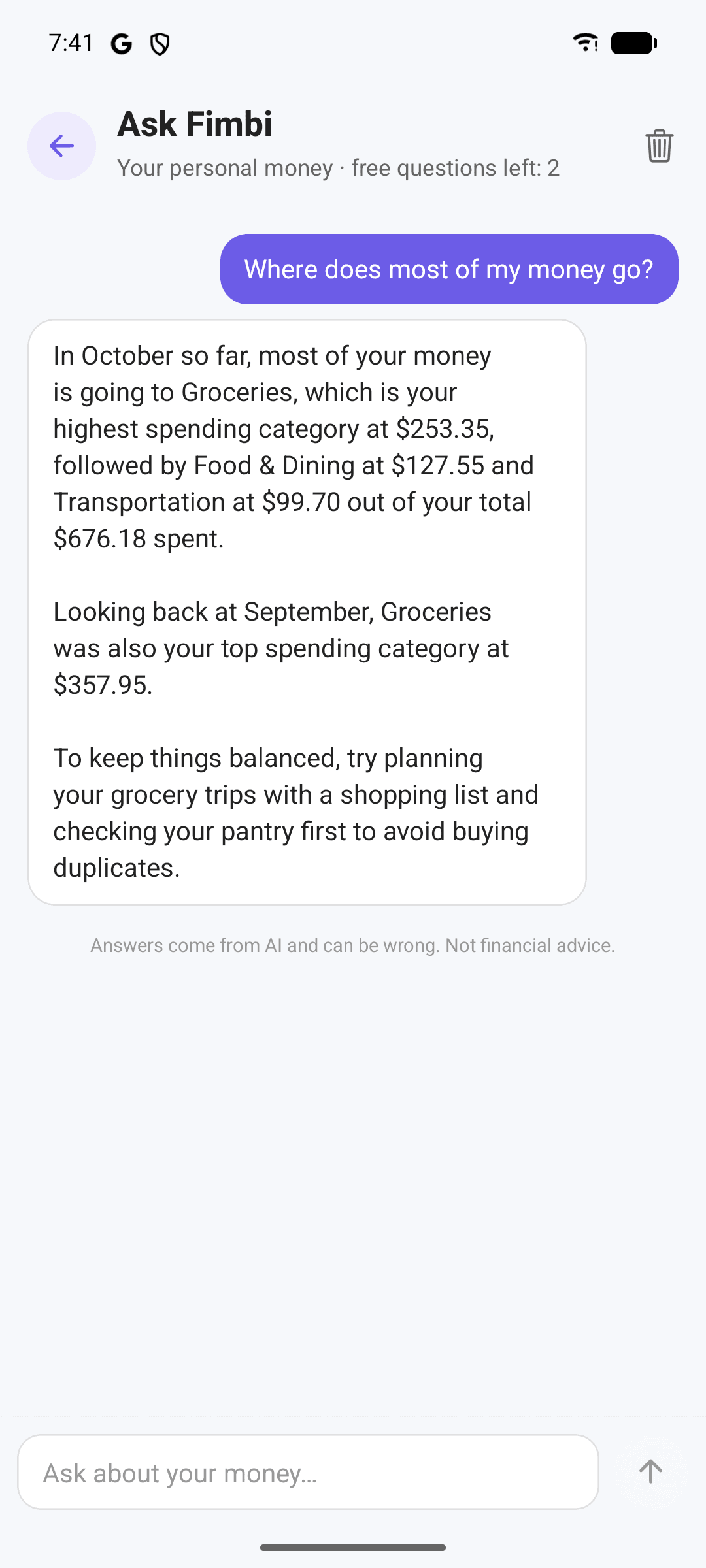
Ask your money anything
A built-in assistant that answers from your own records. Ask in plain words and get a clear answer with the numbers behind it.
- “Where does most of my money go?” “How does this month compare with last?”
- Works in your personal space or your family's.
- Paid plans add an AI monthly summary on the Insights screen.
- The conversation stays on your phone, and you can clear it any time.
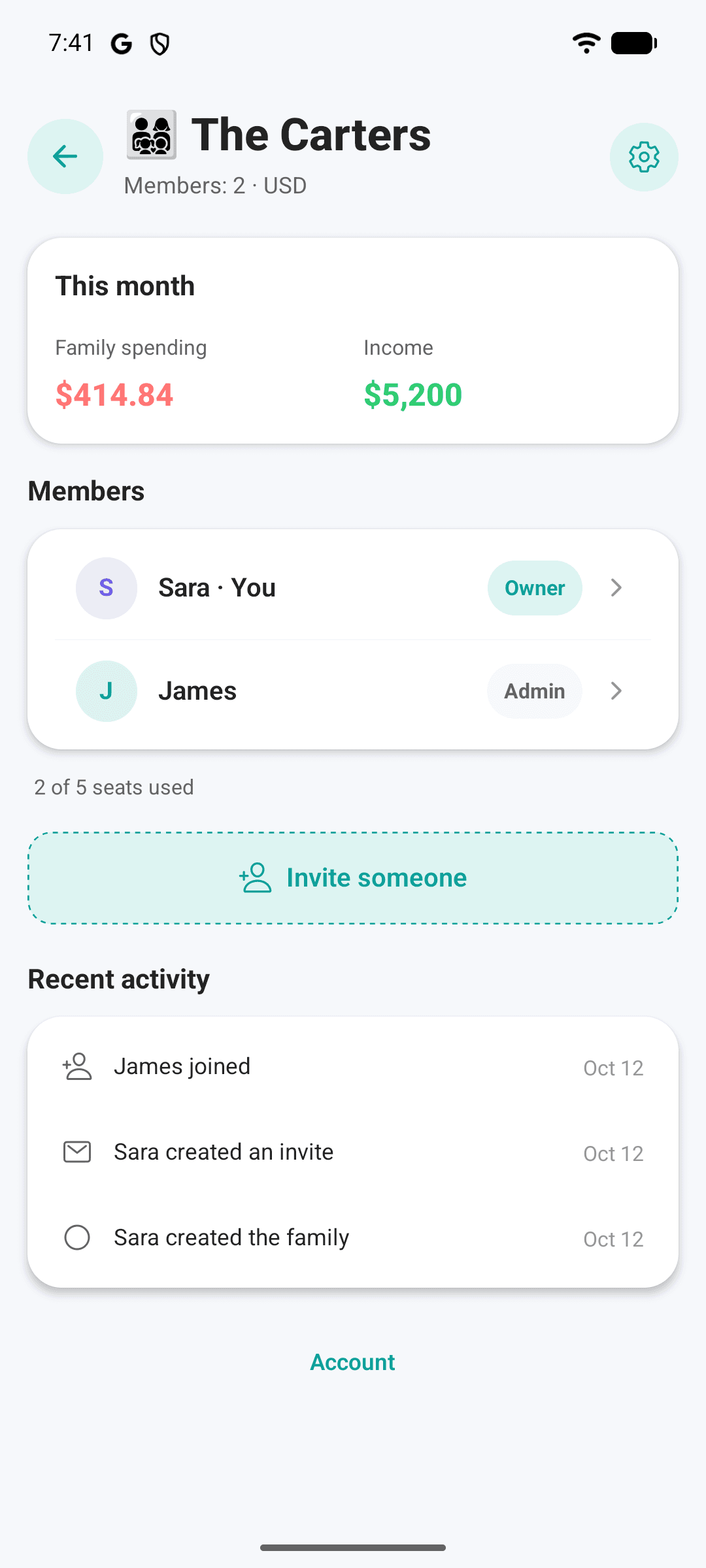
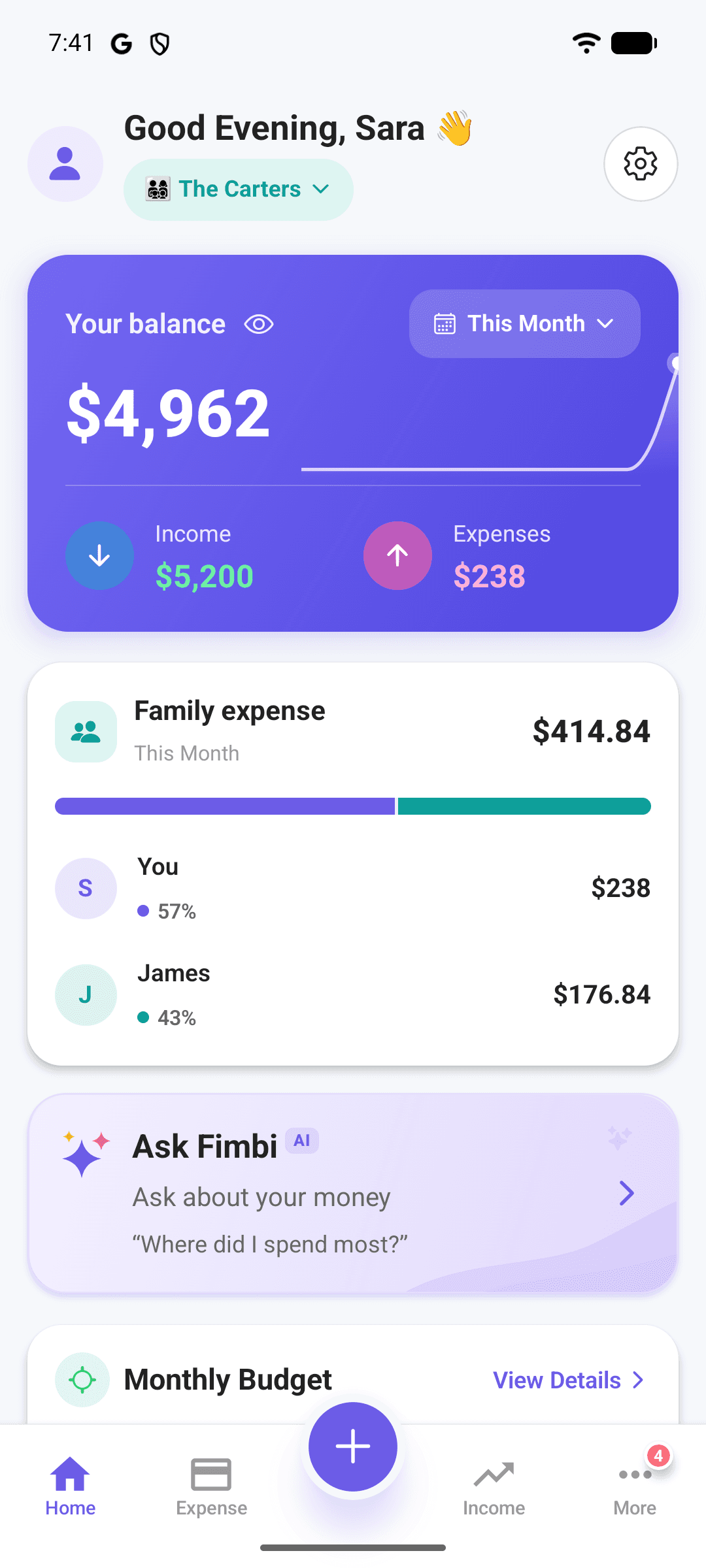
One money picture for the whole household
Share expenses, income, budgets and categories with your partner or family, while your personal records stay yours.
- Pro Couples for two equal partners, Family Pro for up to five people.
- The owner decides who sees what — keep salaries private from teens.
- “Paid by” and “Who spent this month” show where the money went.
- Teen allowances on Family Pro, with a gentle warning when they go over.
- Works offline and syncs when you're back online.
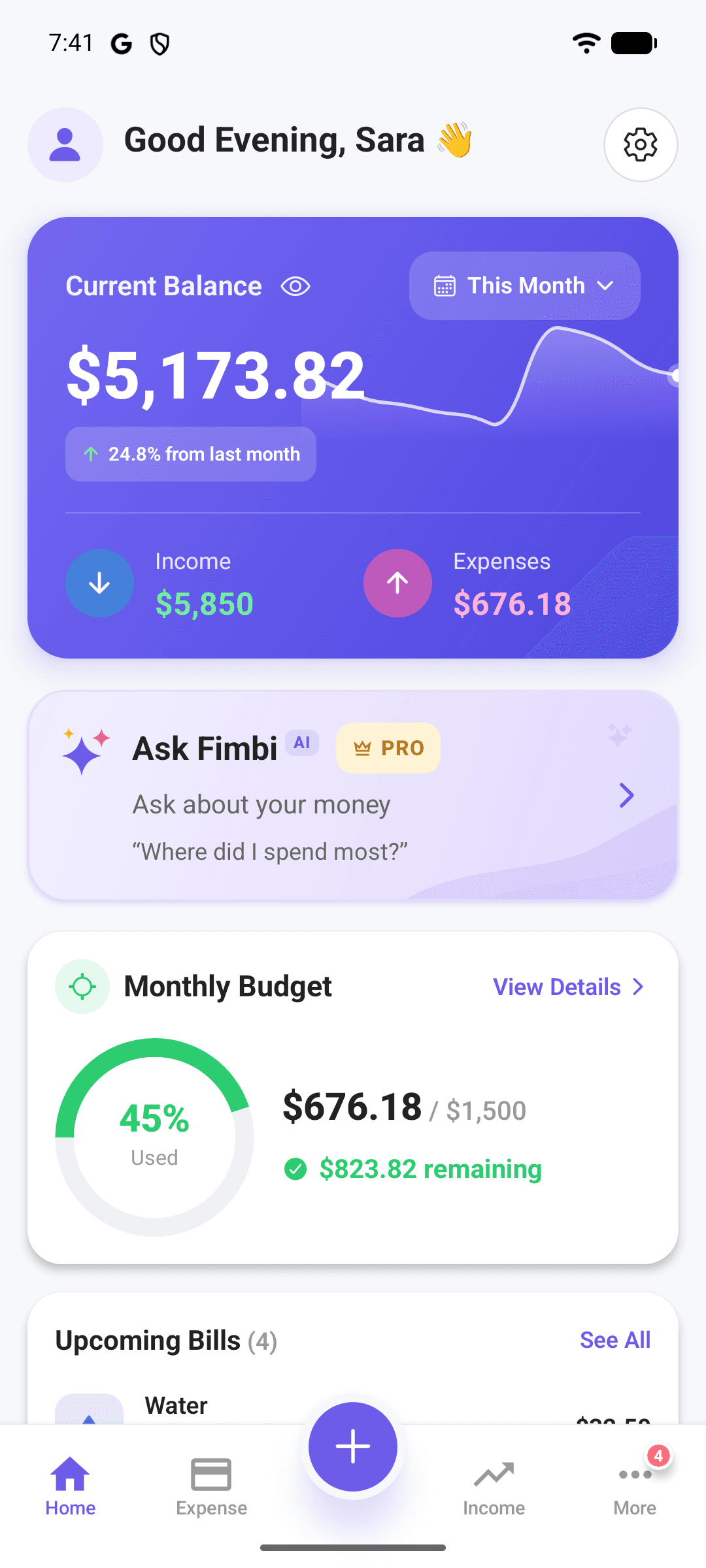
Everything else you need
Everything you need to stay on top of your money, and nothing you don't.
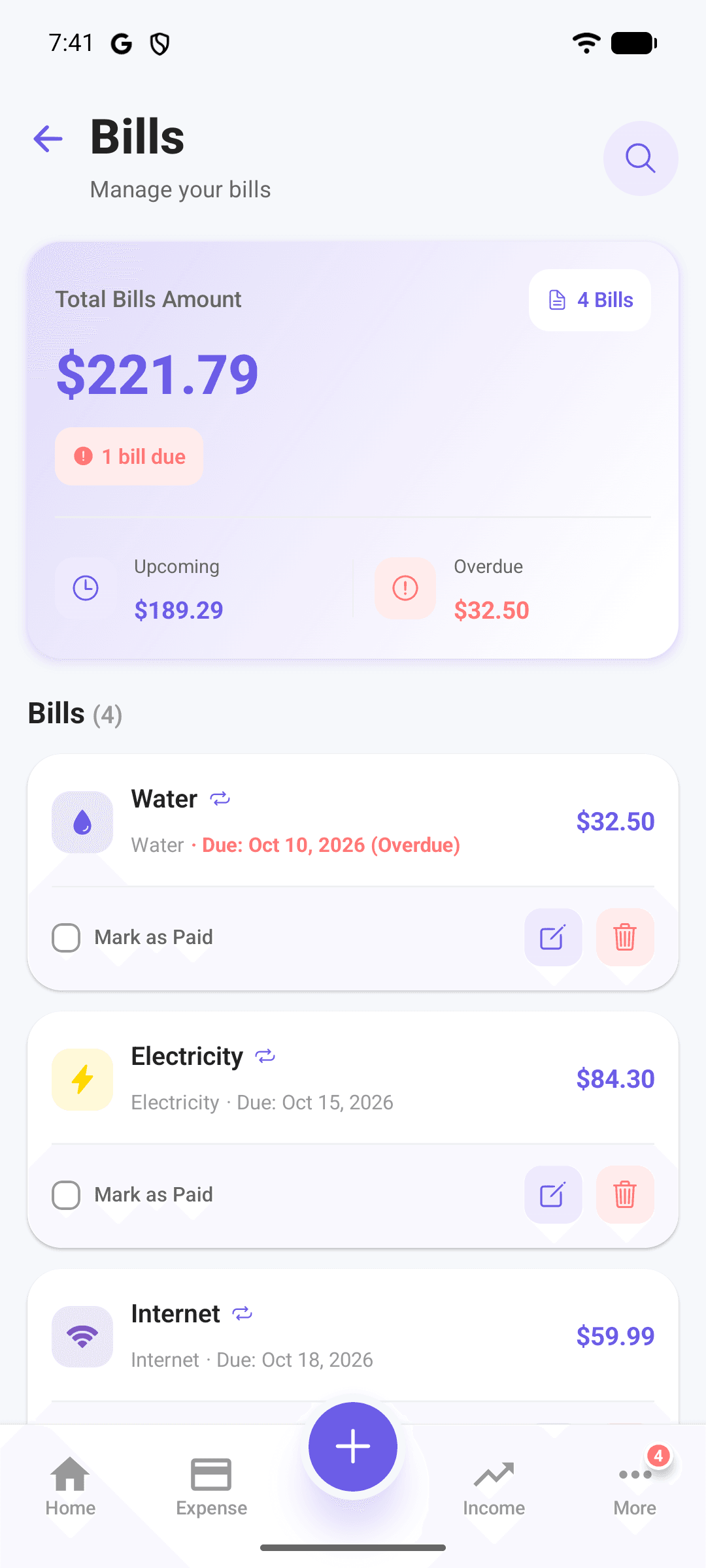
Bills that never slip
Recurring bills with reminders 5 days before, 1 day before and on the due date, at a time you choose. Mark as paid in a tap.
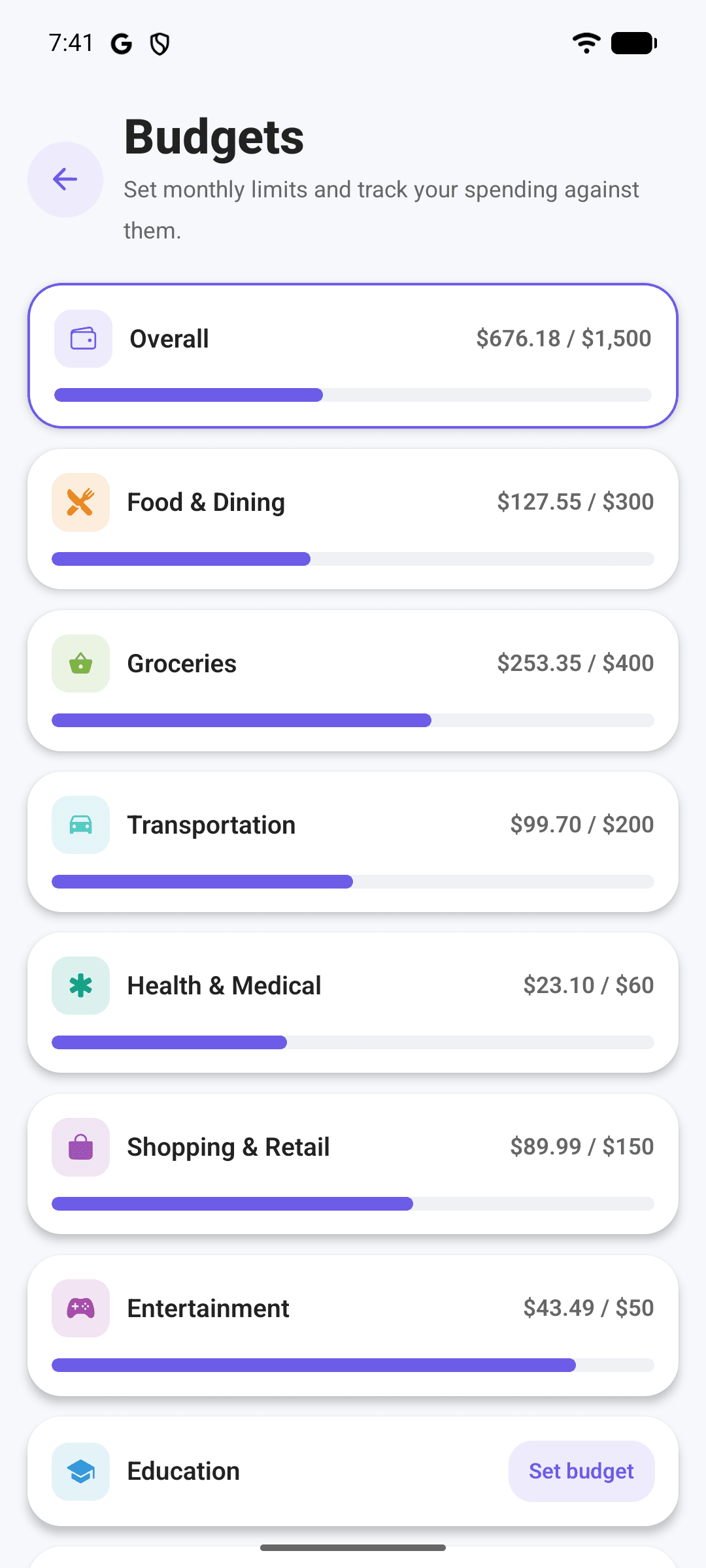
Budgets with alerts
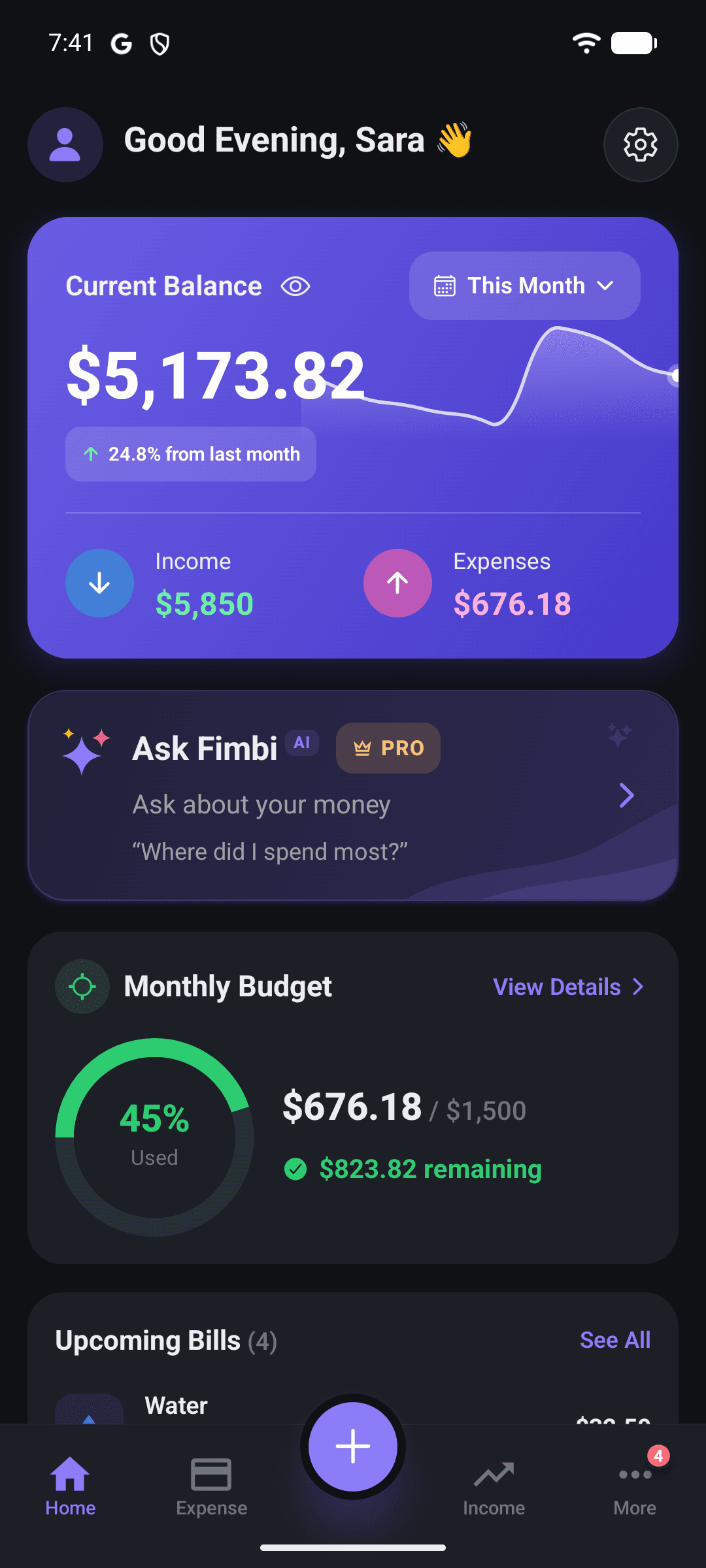
An overall monthly limit plus per-category budgets, with progress bars and an alert when you go over.
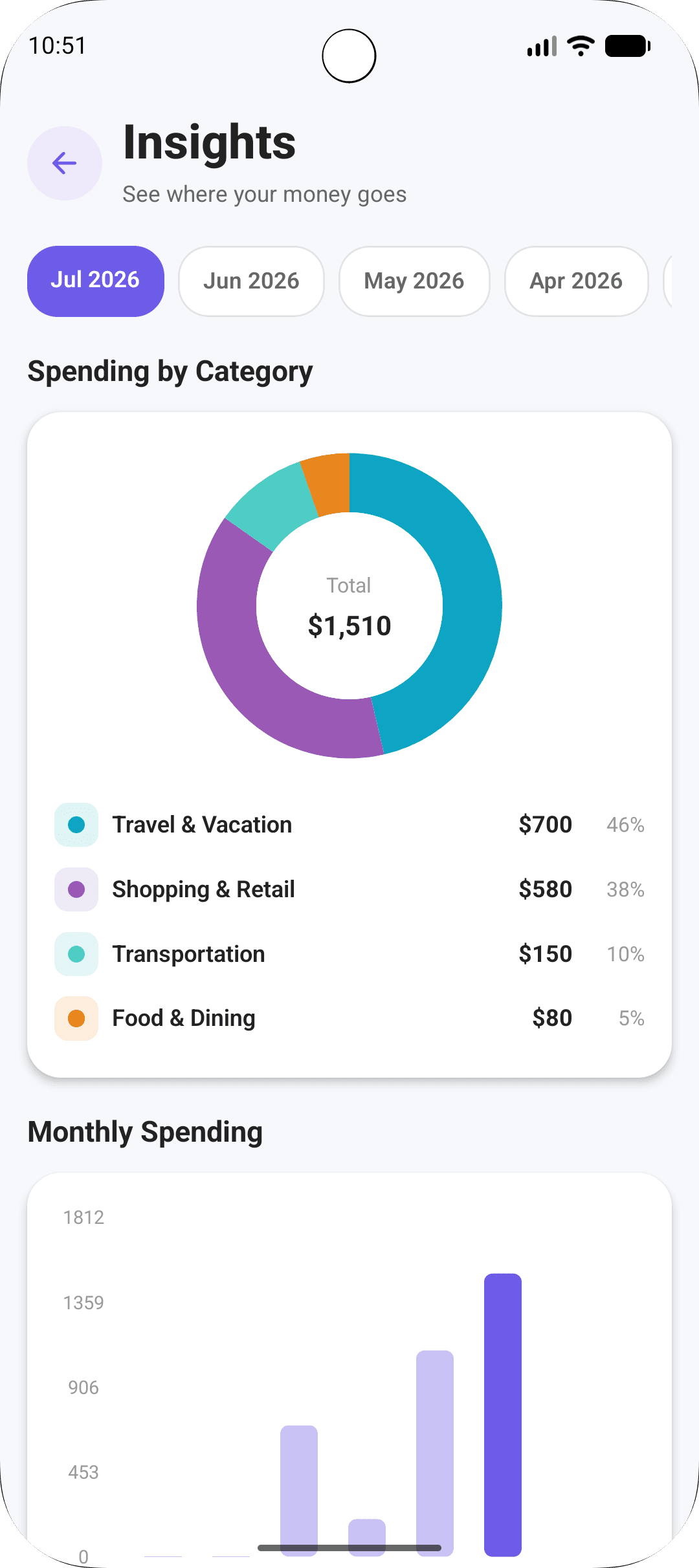
Insights that explain
Spending by category, month-over-month trends and a monthly summary of what changed.
Backup & sync
Turn it on to keep your records and receipt photos safe in your account and in step across your phones. Off until you choose.
Loans, both ways
Track money you lent and borrowed, with partial repayments and due-date reminders.
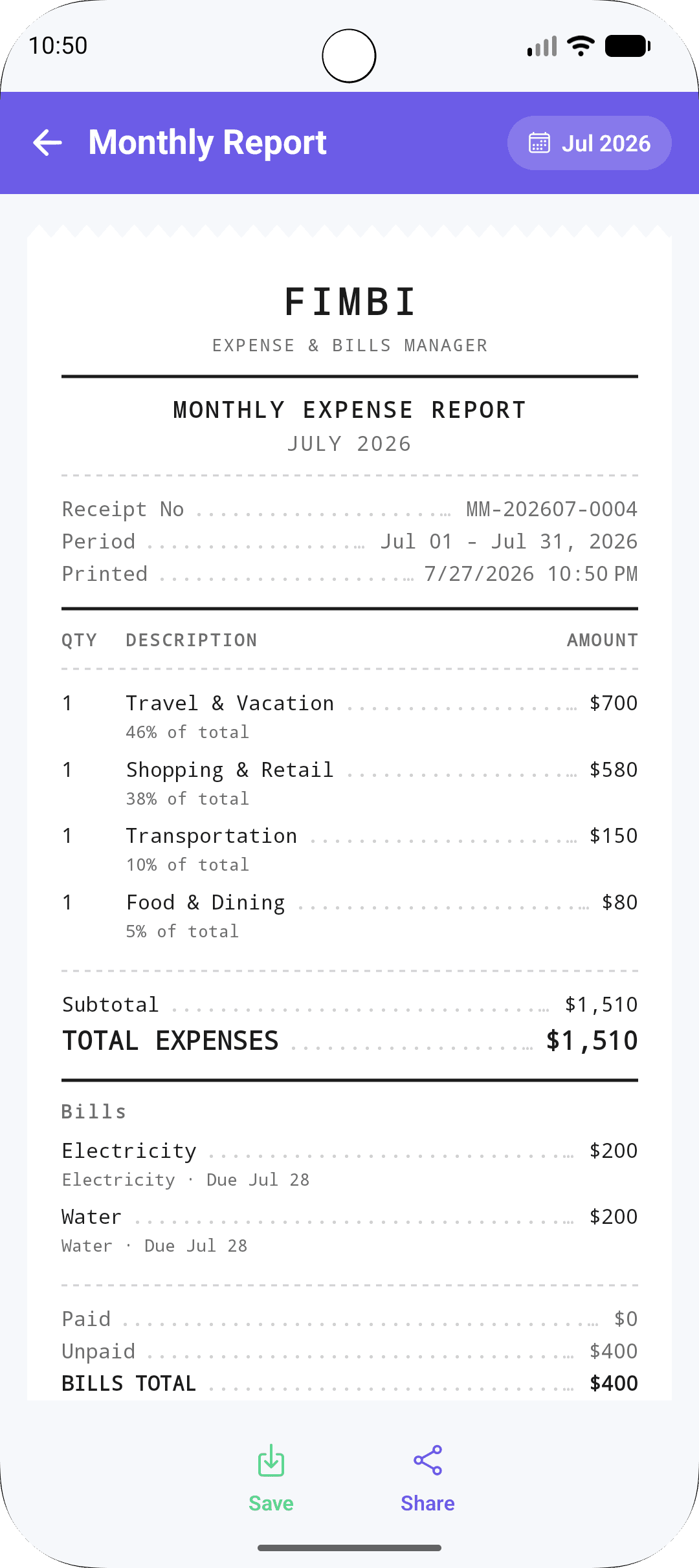
Monthly report
A clean, receipt-style summary of the month that you can save as an image or share.
Receipts and custom categories
Attach a receipt photo to any expense, and create categories with your own name, icon and colour.
App Lock and dark mode
Lock Fimbi with your fingerprint, face or PIN, and switch between light, dark and system themes.
Home-screen widget
See this month's spending, income and balance from your Android home screen without opening the app.
A look inside
Clean, fast screens that get out of your way — in light or dark.
Start free. Upgrade when it helps.
Every plan includes the full tracker. Paid plans add sync, full history, more AI and a shared family space.
Free
On this phone
1 person
- Expenses, income, bills, budgets and loans
- Works offline on one phone
- Last 3 months of history
- 3 voice entries
- 3 AI questions
- Basic monthly summary
Pro Single
For you, on every phone
1 person
- Sync across phones
- Full history
- 150 voice entries / month
- 600 AI questions / month
- AI monthly summary
- 1 GB receipt storage
Pro Couples
For two partners
2 people
- Everything in Pro Single
- Shared wallet for 2
- Equal control
- 250 voice entries / month
- Joint AI summary
- 2 GB receipt storage
Family Pro
For your whole family
Up to 5 people
- Everything in Pro Couples
- Shared wallet for up to 5
- Roles & teen allowances
- 400 voice entries / month
- Family AI summary
- 3 GB receipt storage
Monthly or yearly, priced in your local currency in the app. A 7-day free trial where the store offers one. Cancel any time in Google Play or the App Store. Joining a family is free, and members share the owner's plan.
Private by default
Fimbi only sends data to its server for the features you turn on, and tells you what goes before it does.
Built with
- Platforms
- Android, iOS
- Languages
- English, Urdu, Hindi, Arabic
- Version
- 2.0.0
- Price
- Free, with optional Pro plans
Frequently asked
Do I need to create an account?
No. Expenses, income, bills, budgets and loans all work without one. Signing in with Google (or Apple on iPhone) is only needed for voice entry, Ask Fimbi, Backup & sync, the Family plan and paid plans.
How does voice entry work?
Tap the mic and speak, in English, Urdu, Hindi or Arabic. Your phone turns your speech into text, Fimbi picks out the amounts, categories, titles and date, and puts the rows in the Add Expense form for you to check before saving.
Is Ask Fimbi financial advice?
No. Ask Fimbi answers questions about your own records, such as where your money went or how this month compares with last. AI answers can be wrong, so check anything important.
How does the Family plan work?
The owner creates a family on Pro Couples (2 people) or Family Pro (up to 5) and invites members with a code or link; joining is free. The owner sets each member's role and what they can see. Your personal records are never shared — only what you add to the family space.
What's free, and what do the paid plans add?
Free covers everyday tracking with the last 3 months of history and a few tries of voice and Ask Fimbi. Paid plans add full history, Backup & sync, larger voice and AI allowances, AI monthly summaries and, on Pro Couples and Family Pro, a shared family space.
Does Fimbi connect to my bank?
No. You add entries yourself, by typing or by voice. That keeps your bank login out of the app and keeps you aware of your spending.
Will my data survive a new phone?
Yes, with Backup & sync: sign in on the new phone and your records and receipts come back. You can also export a JSON backup or CSV files from Settings at any time.
Which currencies are supported?
USD, EUR, GBP, CAD, AUD, PKR, INR, SAR and AED — selectable in Settings and applied across every screen.
Fimbi legal
These documents apply to Fimbi specifically, not to Kamxol's other products.